Mic Noise Suppression Test & Echo Cancellation
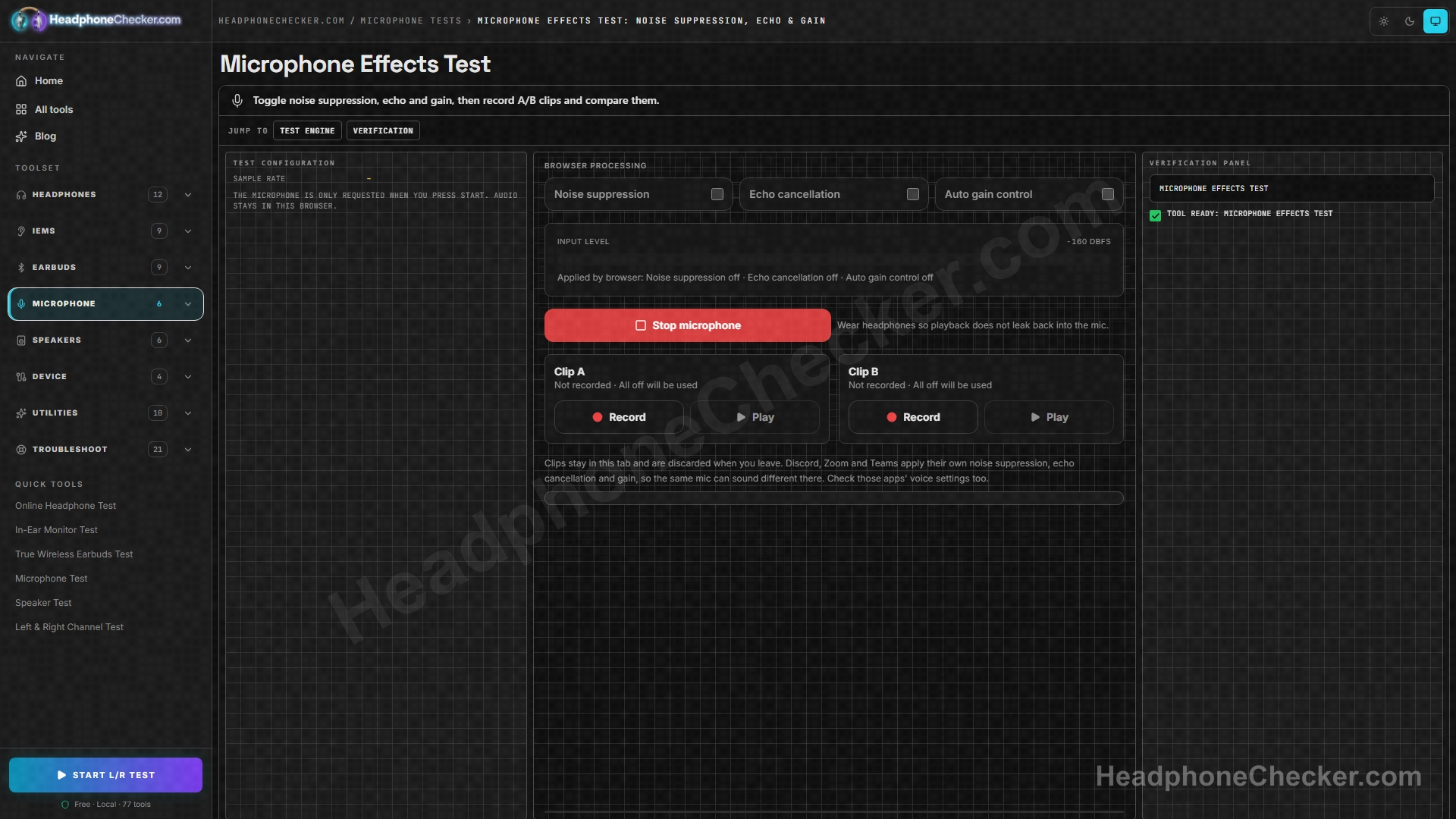
Toggle noise suppression, echo and gain, then record A/B clips and compare them.
Wear headphones so playback does not leak back into the mic.
Clip A
Not recorded · All off will be used
Clip B
Not recorded · All off will be used
Clips stay in this tab and are discarded when you leave. Discord, Zoom and Teams apply their own noise suppression, echo cancellation and gain, so the same mic can sound different there. Check those apps' voice settings too.
“Hear what noise suppression, echo cancellation and auto gain do to my mic”
Free mic noise suppression test: compare noise suppression, echo cancellation and auto gain on and off in your browser and call apps, and hear the difference.
- Live mic with noise suppression, echo cancellation and auto gain toggles
- Shows the processing the browser actually applied
- Record and compare A/B clips locally
- Live input level meter
- Start quiet; protect your hearing
Browsers decide how (and whether) to apply each effect, and calling apps such as Discord and Zoom add their own processing, so results here can differ from what those apps send. How our tests work
What noise suppression, echo cancellation and auto gain do
This mic noise suppression test is also an echo cancellation test and mic effects test: switch the browser's noise suppression, echo cancellation and auto gain control on and off, record a clip each way and hear exactly what they change.
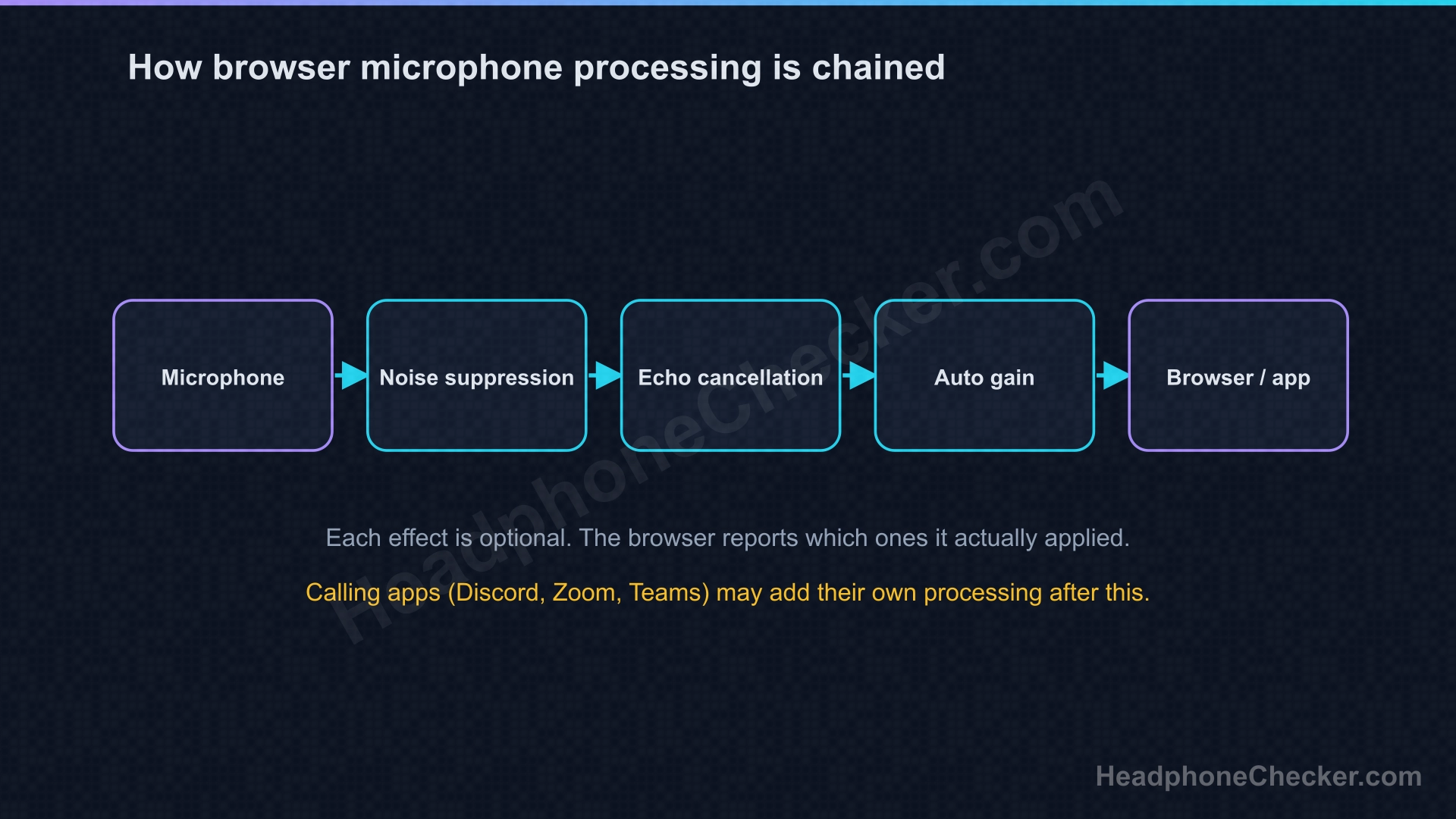
- Noise suppression removes steady background noise such as fans or hum. Strong settings can make your voice sound watery or cut off quiet word endings.
- Echo cancellation removes sound from your own speakers that leaks back into the mic. It matters when you use speakers; with headphones it can usually stay off.
- Auto gain control (AGC) keeps your level roughly constant. It raises quiet speech but also raises background noise between words, and it can pump.
Your browser applies these through the getUserMedia audio constraints. Support varies by browser and operating system, so the test shows the settings your browser actually applied, not only the ones you asked for.
How to run an A/B comparison
- Wear headphones so playback does not leak into the mic.
- Record clip A with all three effects off, saying the same short sentence at a normal level.
- Turn on one effect, then record clip B with the same sentence.
- Play A and B back to back. Keep the effect only if B sounds better to you.
Why Discord, Zoom and Teams can sound different
Calling apps run their own processing on top of (or instead of) the browser settings. Discord has its own noise suppression, echo cancellation and automatic gain options in Voice & Video settings. Zoom has "Suppress background noise" levels and an "Original sound for musicians" mode. Teams has a noise suppression setting. A clip that sounds clean here can still be processed differently in those apps, so check their settings too.
What to check next
If this test passed
How to solve common issues
Voice cuts in and out
Noise suppression may be too aggressive. Turn it down in the call app.
Open related testBackground still loud
Measure the noise floor raw and with suppression.
Open related testLevel jumps around
Turn off auto gain and set the level yourself.
Open related test
FAQ
Should I turn noise suppression on?
Why did a toggle not change anything?
Are my recordings uploaded?
Does echo cancellation matter with headphones?
Privacy, safe volume and browser limits apply to every test: see how our tests work.
Continue diagnosing
All Microphone Tests →Microphone Tests
Online Microphone Test
Is my microphone working?
OpenTroubleshooting
Microphone Too Quiet? How to Make Your Mic Louder
How do I make my quiet microphone louder?
OpenMicrophone Tests
Headset Microphone Test
How do I sound on Discord / Zoom with my headset?
OpenMicrophone Tests
Microphone Monitoring Test
Hear my mic live in headphones
Open