Bluetooth Calls Sound Bad? Call Audio Fixes
Read why calls use HFP, then try the checks for clearer call audio on your OS.
“Why calls sound worse than music on Bluetooth headphones”
Bluetooth calls sound bad? Headsets switch from A2DP to the HFP hands-free profile on calls. Why call quality drops and how to improve it on each system.
Published · Updated
- Interactive fix checklist with progress
- Step-by-step fixes for Windows, macOS, Android and iPhone
- Links to the matching interactive tests
- Runs locally in the browser, no install or upload
- Start quiet; protect your hearing
A browser check for finding faults, not a calibrated lab measurement. How our tests work
HFP / HSP vs A2DP: why calls sound worse
Do Bluetooth calls sound bad even though music is fine? Headsets switch from the A2DP music profile to the HFP call profile during calls (HFP vs A2DP). This guide explains Bluetooth call quality and how to improve muffled headset calls, including AirPods call quality.
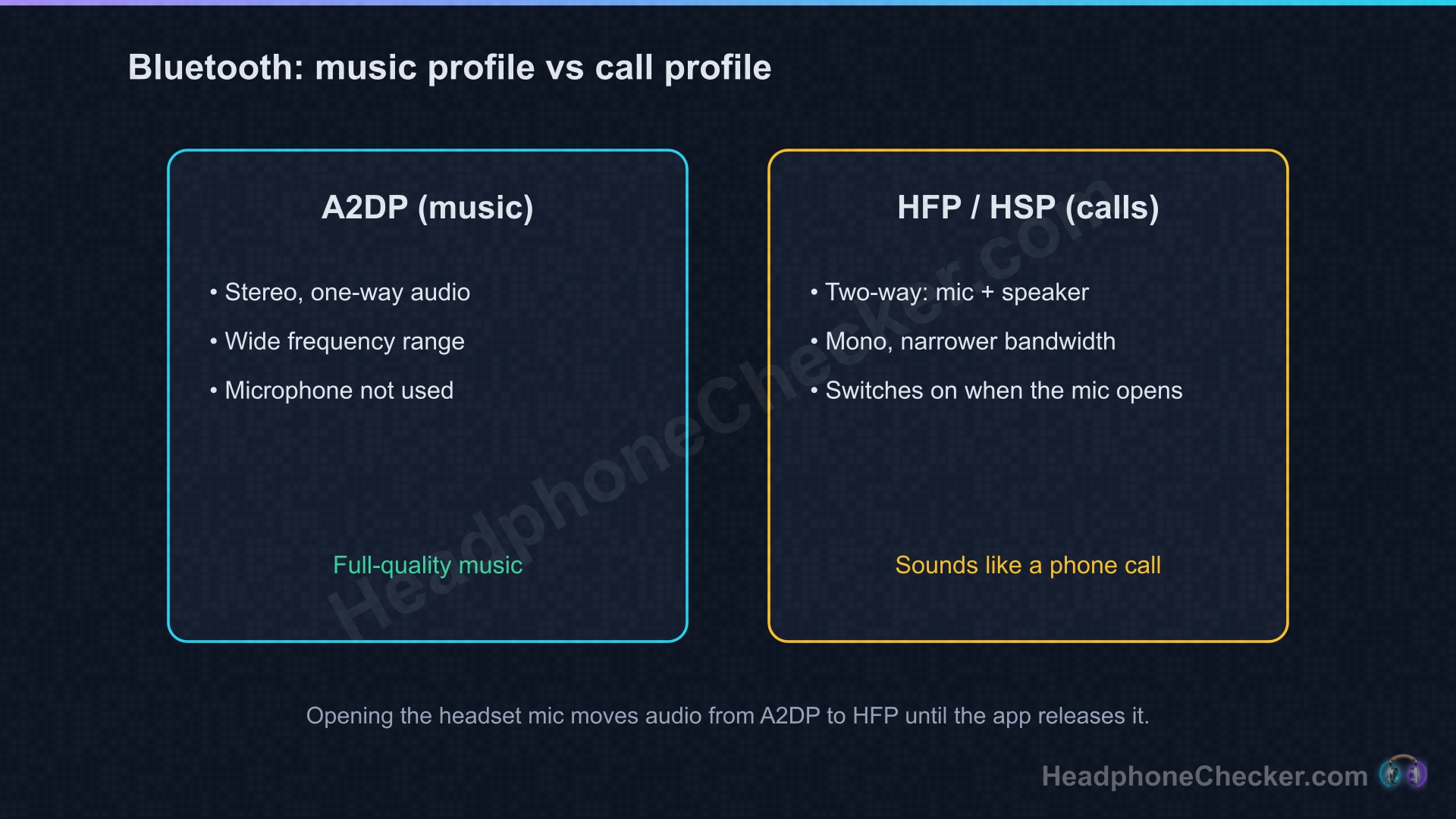
Bluetooth headphones play music over A2DP, which is one-way stereo. When an app opens the headset microphone, the link switches to the Hands-Free Profile (HFP) or the older Headset Profile (HSP). These carry audio in both directions but in mono and with a much narrower bandwidth, so everything sounds like a phone call until the app releases the mic.
Newer headsets and phones that support wideband speech (often called HD Voice) or LE Audio sound better on calls, but call audio is still not the same as music playback.
Fixes for each device
Windows
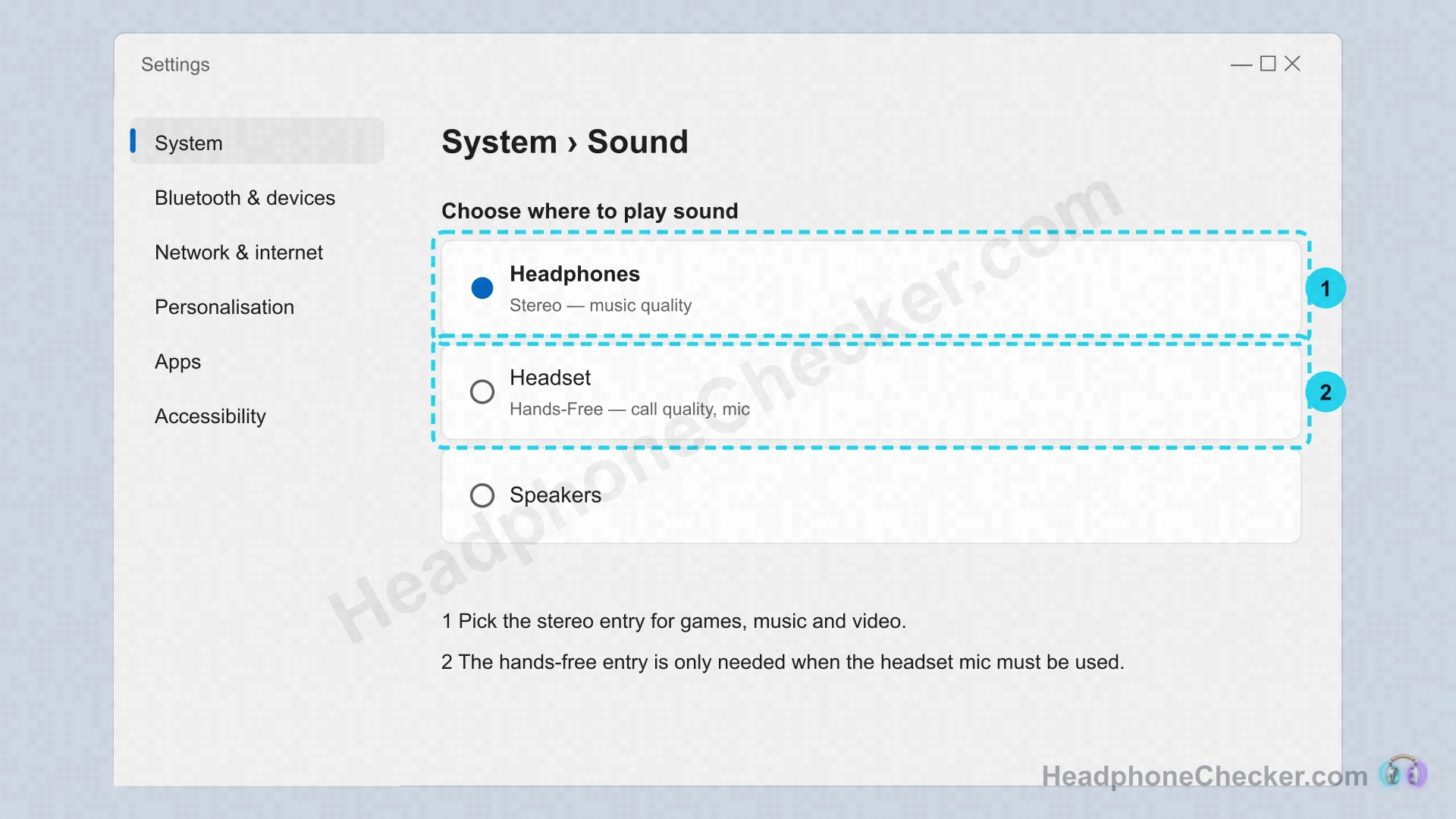
- Choose the stereo "Headphones" entry as the output for games, music and video.
- If you need voice chat with good game audio, use a separate USB or built-in mic and keep the headset on the stereo entry.
- Turn off mic access for apps that do not need it, so they cannot force hands-free mode. Windows 11: Settings > Privacy & security > Microphone. Windows 10: Settings > Privacy > Microphone.
macOS
- System Settings > Sound > Input: choose the Mac's built-in mic instead of the headset mic to keep the headphones in high-quality mode.
macOS 12 and older: open System Preferences instead of System Settings.
Android / iPhone
- Phones manage this automatically: calls use the hands-free profile and media returns to A2DP afterwards.
- If media stays muffled after a call, toggle Bluetooth off and on or reconnect the headphones.
What to check next
If this test passed
How to solve common issues
Muffled sound after a call
Close the call app and choose the stereo output.
Open related testOthers cannot hear you
Record a clip with the earbud mic to check it.
Open related testDiscord sounds bad
Pick the right input and output in Discord.
Open related test
FAQ
Why does my headset sound terrible when Discord or Teams is open?
Does LE Audio fix call quality?
Why does my voice sound like a phone call in games?
Does a USB Bluetooth dongle improve call quality?
Privacy, safe volume and browser limits apply to every test: see how our tests work.
Continue diagnosing
All Troubleshooting →Troubleshooting
Bluetooth Headphone & Earbuds Test
Does my Bluetooth connection drop out, or will my earbuds not pair?
OpenTroubleshooting
Headphones Sound Muffled? Causes & Fixes
Why do my headphones sound muffled and how do I fix it?
OpenTroubleshooting
Headset Mic Not Working in Discord? Fixes
Discord does not hear my headset microphone
Open