Online Spectrum Analyzer for Your Microphone
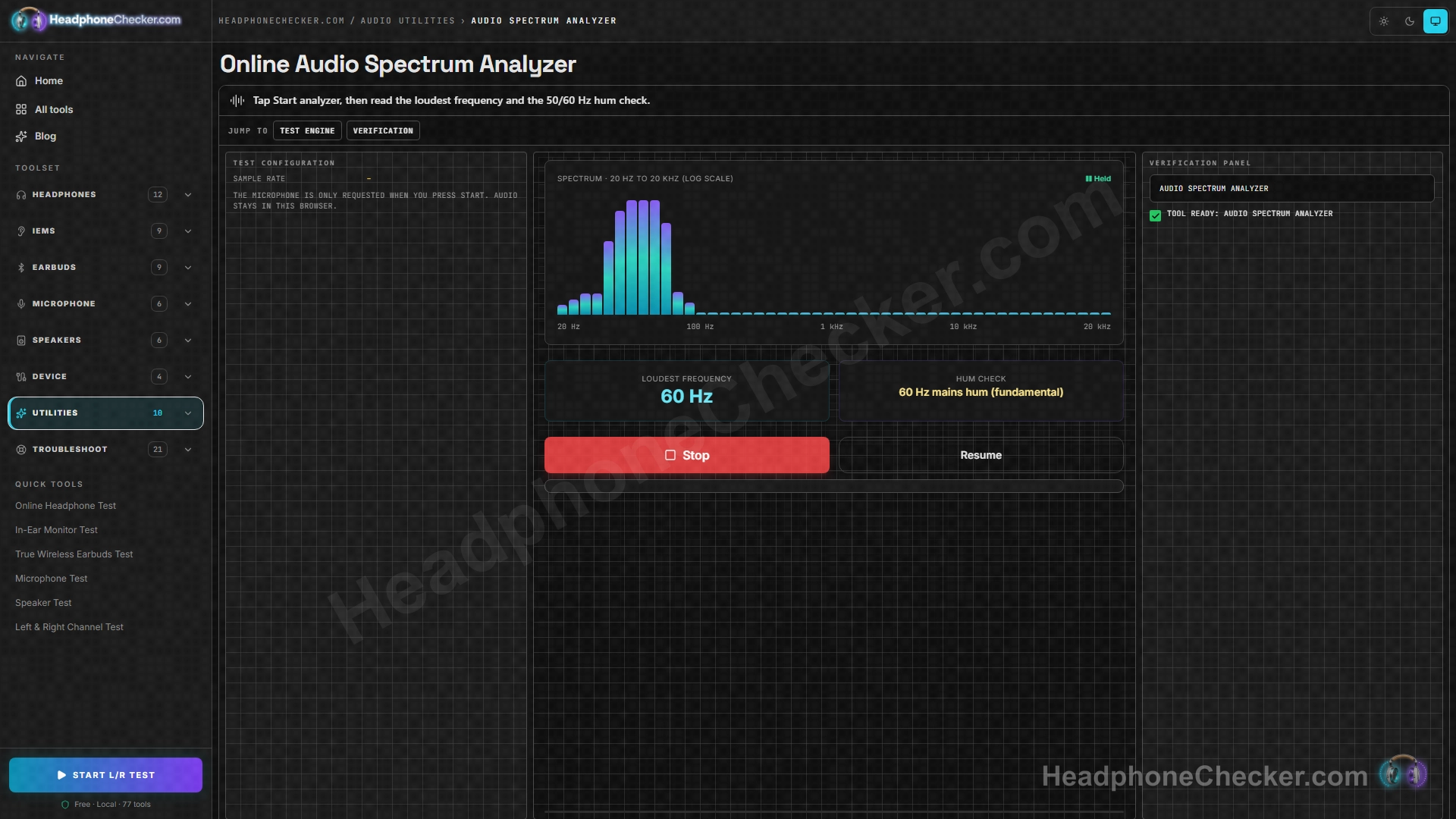
Tap Start analyzer, then read the loudest frequency and the 50/60 Hz hum check.
Spectrum · 20 Hz to 20 kHz (log scale)
○ IdleLoudest frequency
--
Hum check
--
“See microphone frequency content live”
Online spectrum analyzer: see the frequencies your microphone picks up in real time, watch the peaks and spot hum, whine or harshness. Runs in your browser.
- Live 20 Hz–20 kHz spectrum on a log scale
- Loudest-frequency readout
- 50/60 Hz mains hum detection
- Freeze display
- Start quiet; protect your hearing
A browser check for finding faults, not a calibrated lab measurement. How our tests work
How to use the spectrum analyzer
This online spectrum analyzer is a real time spectrum analyzer for your microphone: it shows the frequencies it picks up as they happen. Use the audio spectrum analyzer as a quick frequency analyzer to spot mains hum, whine, feedback or harshness in a room or recording.
- Press Start analyzer and allow the microphone. It opens the raw input with noise suppression off, so you see what the mic really picks up.
- Stay quiet for a moment. The bars now show your room's background: hum appears at the far left, hiss as a raised right-hand side.
- Speak, play music or play a tone near the mic and watch where the energy goes. Most speech sits between about 100 Hz and 4 kHz.
- Read Loudest frequency for the strongest component. Hum check flags peaks at 50 or 60 Hz and their low harmonics.
- Press Freeze display to hold the spectrum and read it at your own pace.
How to read the spectrum
- Frequency runs left to right on a log scale, like a piano keyboard: every octave gets the same width, from 20 Hz (deep bass) to 20 kHz (the top of human hearing).
- Bar height is level in dB relative to full scale, from about −100 dB at the bottom to −20 dB at the top.
- A narrow spike is a single tone, such as hum, coil whine or a whistle. A broad raised area is noise or a rich sound like a voice.
- Phone and laptop mics pick up little below about 100 Hz, so weak bass on screen can be the mic rather than the sound.
What you can use it for
- Find mains hum: 50 Hz in most of Europe, Asia, Africa and Australia, 60 Hz in North America.
- Check a tone: play one from the tone generator on speakers and confirm the peak lands on that frequency.
- Spot coil whine from a PC, charger or monitor as a narrow high spike.
- See what your room adds: fans and air conditioning show as broad low-frequency energy.
What to check next
If this test passed
If something was wrong
How to solve common issues
Bars do not move
The mic is muted or blocked, or a different device is open. Check it with the microphone test.
Open related testLarge peak at the far left
Hum, wind or handling noise. Keep the mic still and check cables and grounding.
Open related testNo treble above 4 to 8 kHz
Bluetooth headsets in call mode cut off the high frequencies. Use a wired or USB mic for analysis.
Open related test
FAQ
What does an audio spectrum analyzer do?
Can I measure my headphones' frequency response with it?
Why is there a peak at 50 or 60 Hz?
How precise is the frequency reading?
Privacy, safe volume and browser limits apply to every test: see how our tests work.
Continue diagnosing
All Audio Utilities →Audio Utilities
Tone & Frequency Generator
I need a particular frequency to test my headphones
OpenAudio Utilities
Online Hearing Test (Not Medical): Per-Ear Threshold Check
Rough per-ear tone thresholds from 250 Hz to 8 kHz
OpenAudio Utilities
Hearing Frequency Range Test: 20 Hz–20 kHz Sweep
What is the highest and lowest pitch I can hear on my headphones?
OpenAudio Utilities
Headphone Volume Booster: Make Headphones Louder Online
My headphones are too quiet; boost the audio
Open