Full Headphone Test: Guided Checkup
Run Left / Right, then balance, bass and frequency, and save a local report.
“Run every core headphone check in one guided session”
Free full headphone test: one guided flow through left/right, balance, bass and frequency, with an optional mic check, then a report for a return or warranty.
- Guided multi-step headphone checkup
- Pass / fail / skip per step
- Shareable local report (URL hash or download) — nothing uploaded
- Runs locally in the browser, no install or upload
- Start quiet; protect your hearing
A browser check for finding faults, not a calibrated lab measurement. How our tests work
Save lab score
Optional — stores a summary via the existing Nest API (headphones).
How the full checkup works
This full headphone test is a guided headphone test that runs the key checks in order: left/right, balance, bass, frequency and an optional mic check. It is the complete headphone test to run on the day new headphones arrive, and it ends with a report you can save.
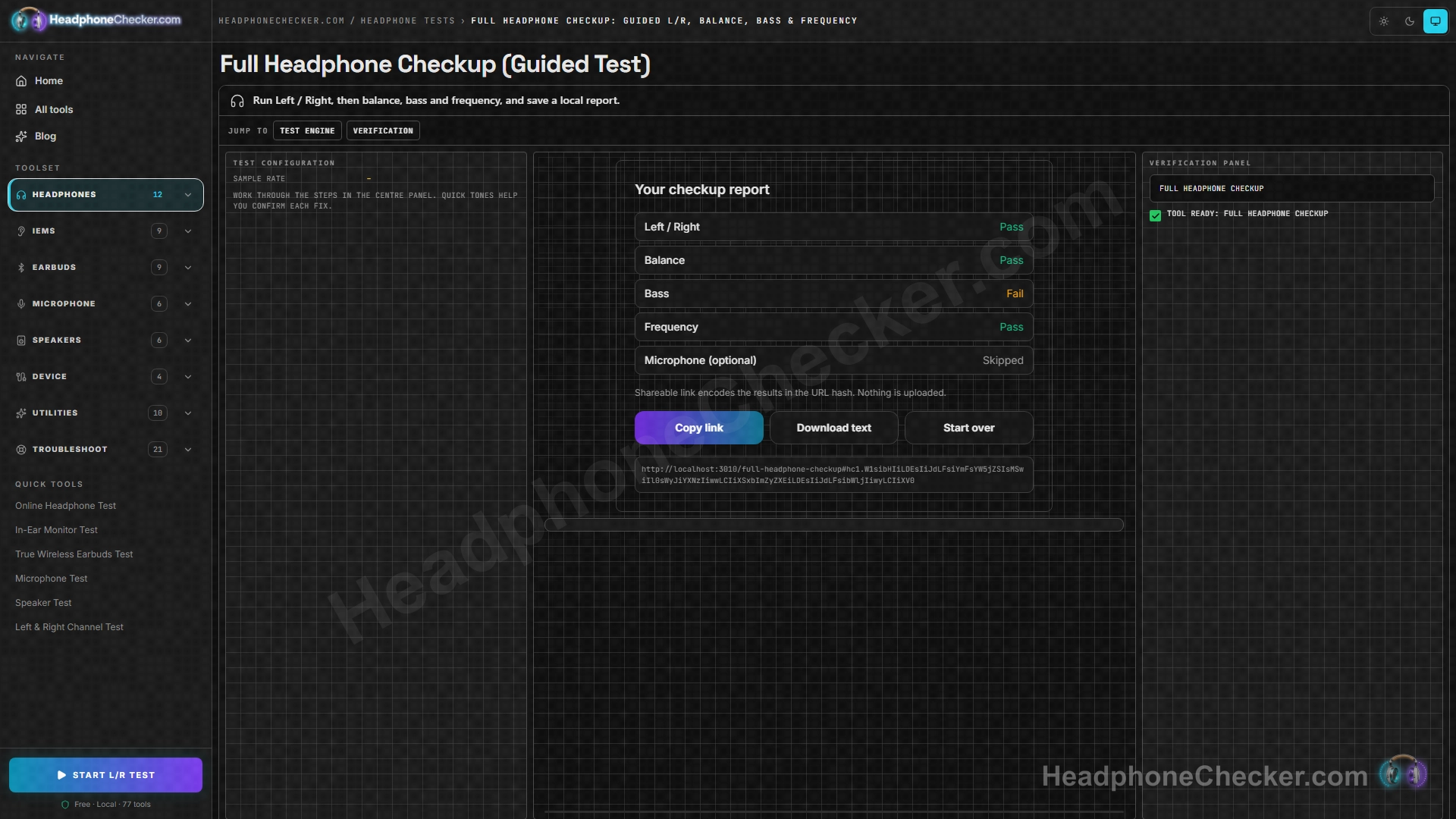
- Work through each step: left/right, balance, bass, frequency and (optionally) the microphone.
- Open the linked test for a step if you want the full tool, then come back and mark Pass, Fail or Skip.
- At the end, copy the share link or download a text report. The results live only in the link itself (after the # sign), so nothing is sent to a server.
The checkup records what you heard. It is a structured listening check, not a calibrated measurement.
Reading your checkup report
- Every step passed: the headphones work as they should. Whether you like the sound is now a matter of taste; the headphone sound comparison helps you judge that fairly.
- Left/right failed: start with headphones not working on one side.
- Balance failed: one side is quieter. See volume lower on one side; with earbuds and IEMs, clean the nozzle and check the seal first.
- Bass failed: almost always fit or seal. Adjust the headband or pads, or try another ear tip size with the ear tip size guide.
- Frequency failed (muffled, a dead zone, a harsh peak): see headphones sound muffled and listen for rattles with the rattle sweep finder.
If several steps fail, repeat the checkup on a second device before blaming the headphones. Failures that appear on one device only point to that device: its settings, jack or Bluetooth connection.
What to check next
If this test passed
If something was wrong
How to solve common issues
Left/right step failed
Check balance, Mono audio and the connection.
Open related testBass step failed
Check the seal first, then test bass on its own.
Open related testSeveral steps failed
Work through the fixes step by step for your system.
Open related test
FAQ
Is my checkup report uploaded?
What should I do with a failed step?
How long does the full checkup take?
Can I share my results with support?
Privacy, safe volume and browser limits apply to every test: see how our tests work.
Continue diagnosing
All Headphone Tests →Headphone Tests
Left & Right Headphone Test
Is my left or right headphone working?
OpenHeadphone Tests
Headphone Balance Test
Why does one ear sound louder than the other?
OpenHeadphone Tests
Headphone Bass Test
Can I hear bass properly, or are my headphones rattling?
OpenHeadphone Tests
Headphone Frequency Test
Can my headphones reproduce different frequencies?
Open