Headphones & Earbuds Only Working on One Side? Live Fixes & Test
Pick headphones or earbuds and your system, then work through the fixes; each step has a live left/right check.
One side silent or swapped
STEP 1 / 4Most likely causes
- Mono audio or a balance slider turned to one side
- Plug not fully inserted
- A broken wire or failing driver on one side
1. Turn off Mono audio and centre the balance
Windows: Mono audio Off: Windows 11, Settings > Accessibility > Audio; Windows 10, Settings > Ease of Access > Audio. Then centre the balance: Windows 11, Settings > System > Sound > your headphones > Left and Right channel; Windows 10, Settings > System > Sound > Device properties > Balance. Set Left and Right to the same value.
“Fix a silent left or right ear cup or earbud”
Headphones or one earbud only working on one side? Live fixes for settings, jack, cable, Bluetooth, AirPods and earbud resets, plus a built-in left/right test.
- Interactive fix steps for this problem
- Steps for Windows, macOS, Android and iPhone, picked automatically
- Live left/right check inside the steps
- Runs locally in the browser, no install or upload
- Start quiet; protect your hearing
A browser check for finding faults, not a calibrated lab measurement. How our tests work
How to use the fix steps above
If you have headphones only working on one side, with sound only in one ear, or one earbud not working, start here. These live fixes cover settings, the jack, the cable and Bluetooth for headphones, and charging, re-sync and resets for AirPods and wireless earbuds (left earbud not working, right earbud not working or one AirPod not working), with a built-in left/right test to confirm the fix.
- Pick Headphones or Earbuds / AirPods, then check that Steps for shows your system. It is picked automatically.
- Do the first step, then press Fixed it or Still broken: next step.
- At Check each side now, tap Left, Both and Right to see whether the fix worked.
- If every step fails, the panel tells you it is likely hardware and what to do.
Why only one side of your headphones works
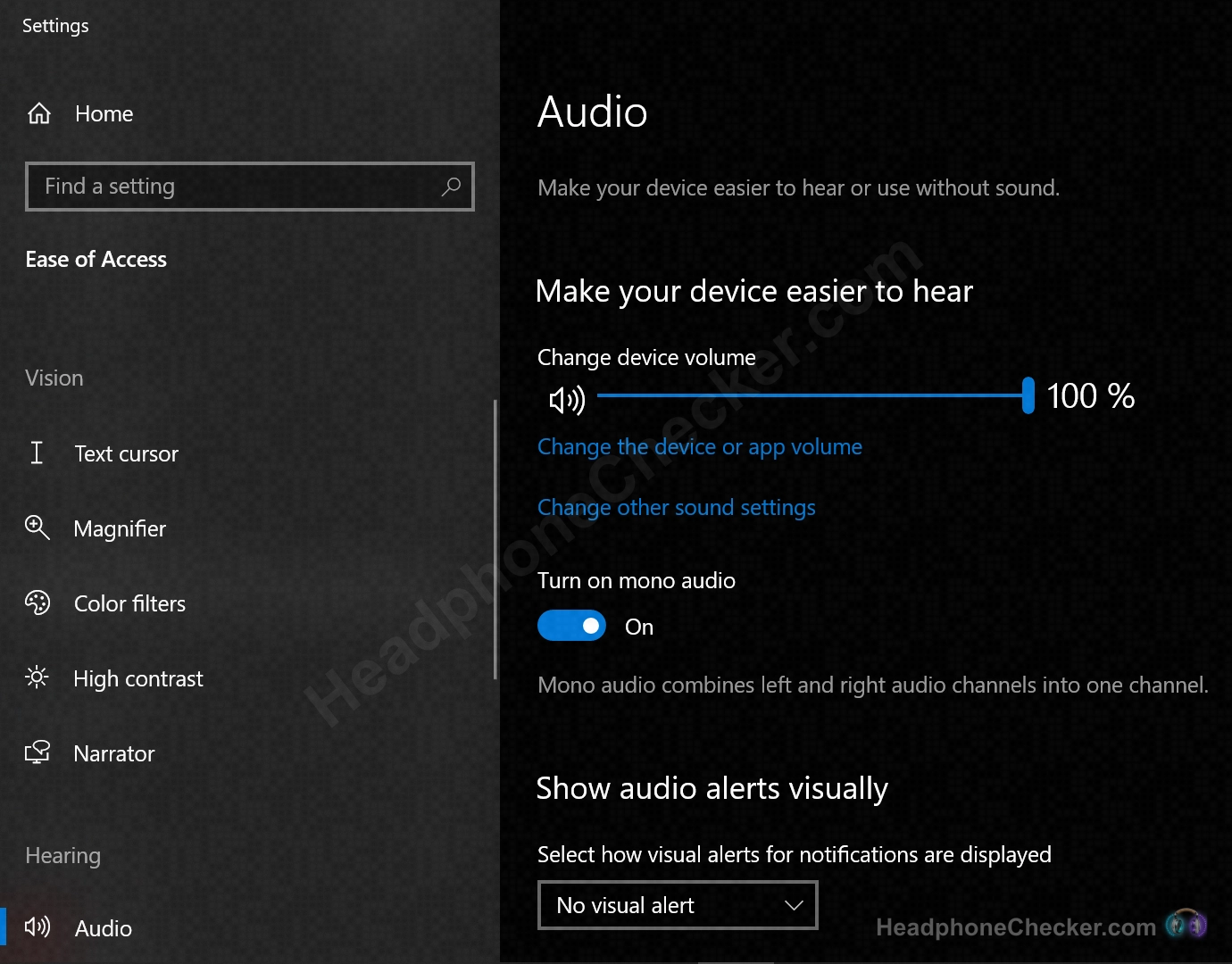
- Settings: Mono audio mixes both sides, and a balance slider can silence one side almost completely. These are the most common causes and take seconds to fix.
- Connection: a plug not fully inserted often loses one channel, especially with a thick phone case. On Bluetooth, a glitch can leave one channel muted until you reconnect.
- Cable: the wires inside break near the plug or the ear cup. Moving the cable makes the silent side flicker on and off.
- Driver: if the same ear cup stays silent on every device with every cable, the driver itself has failed.
One earbud or AirPod not working: re-sync steps
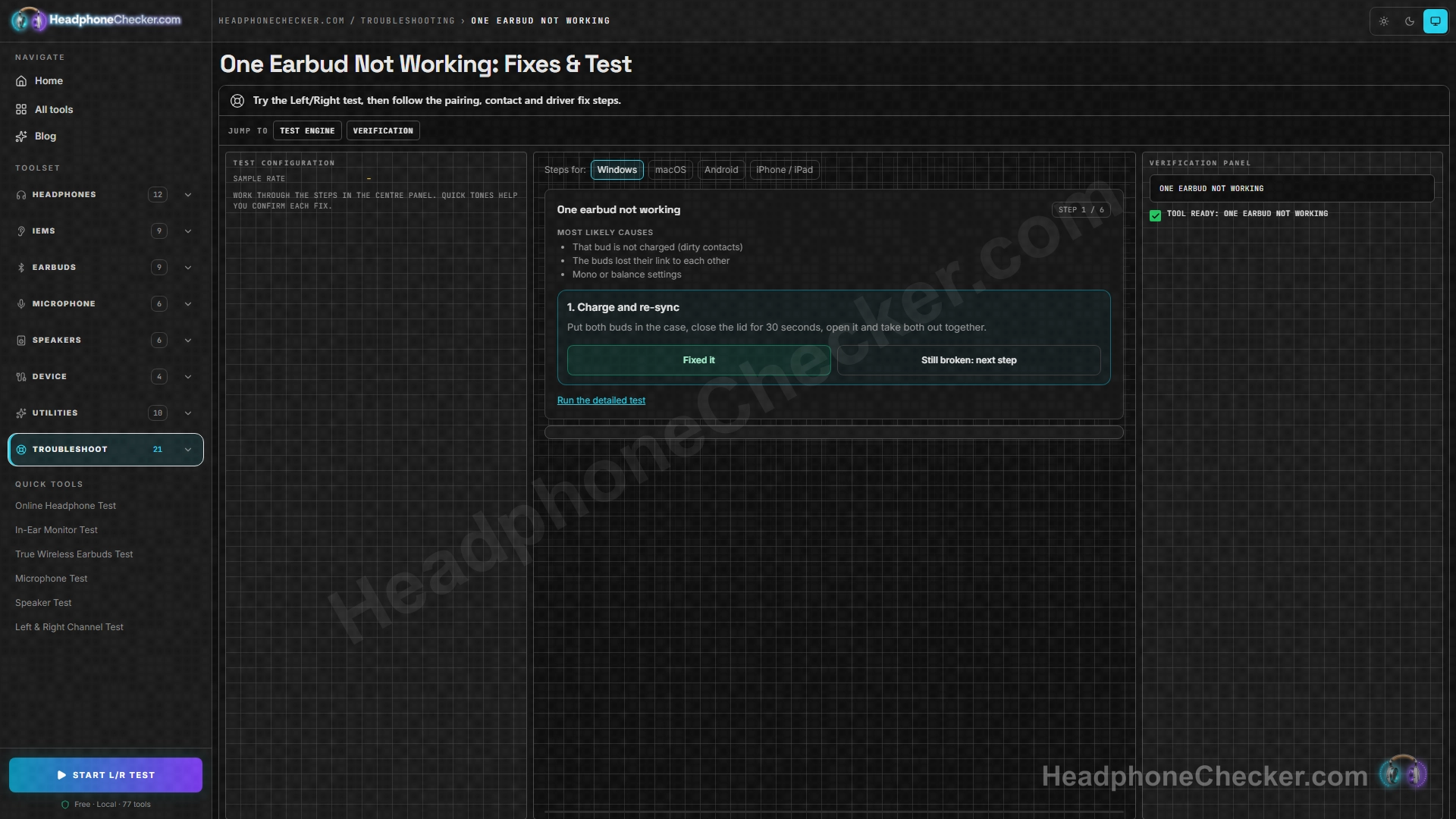
True wireless earbuds have no cable, so one silent bud is almost always charging, pairing or settings, not a broken wire.
- Put both earbuds in the case, close the lid for about 30 seconds, then open it near your phone.
- Check both earbuds are charging: clean the metal contacts on the earbuds and in the case with a dry cotton swab.
- Forget the earbuds in Bluetooth settings, then pair again so both buds connect as one device.
- Do the factory reset described in the maker's manual (often holding the case button) and pair again.
- Update firmware in the maker's app. If one bud still does not connect, it may need a warranty replacement.
If the bud connects but stays silent, check balance and mono settings with the left/right earbud test.
One earbud silent: is it the bud, the case or the phone?
- Check the battery of each bud: most phones show the charge of both buds in the Bluetooth menu or a battery widget. A bud at 0% after a night in the case points to dirty contacts or a failing battery.
- Try the bud on its own: put the working bud in the case and use only the silent one. If it plays alone, the buds just need re-syncing (reset and pair again).
- Try a second phone or computer: if the same bud stays silent everywhere, the problem is that bud. If it works elsewhere, re-pair it with your phone.
- Confirm with the [left and right earbud test](/left-right-earbud-test) after every step, so you know which change fixed it.
Many makers sell single replacement buds and replace them under warranty. A dead bud is usually a battery or charging-contact fault, not something a setting can fix.
What to check next
If this test passed
How to solve common issues
Cable breaks the signal
Find the exact spot by flexing the cable while noise plays.
Open related testPlug not seating
Remove the phone case and clean the jack.
Open related testOne side only quieter
Measure and fix a level difference instead.
Open related testEarbud not charging
Clean the contacts and check the case light reacts.
Open related test
FAQ
Why is only one side of my headphones working?
Why does only one side of my Bluetooth headphones work?
Why does one side cut in and out when I move the cable?
Why does only one earbud or AirPod work?
How do I reset my earbuds?
Can I replace just one earbud?
Privacy, safe volume and browser limits apply to every test: see how our tests work.