Left Right Speaker Test for Stereo Speakers
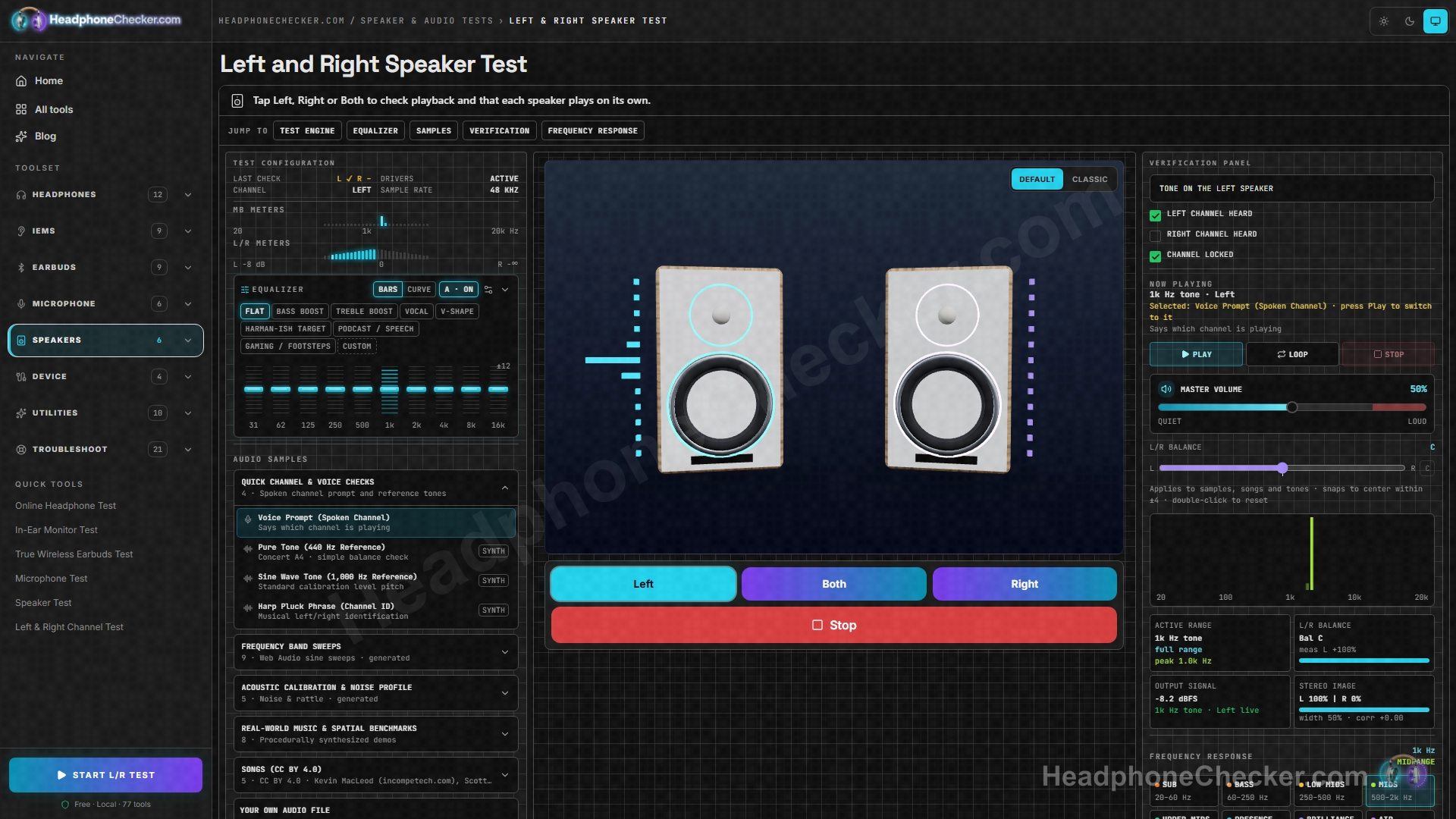
Tap Left, Right or Both to check playback and that each speaker plays on its own.
“Isolate each speaker channel”
Free left right speaker test: play the left speaker, the right speaker or both to confirm playback, find swapped speaker wires and spot a silent channel.
- Left / Right / Both speaker playback
- Song and test-signal routing per speaker
- Built-in sample library (speech, music, sweeps, noise) with loop modes
- Shared lab: master volume with limiter, L/R level meters and live output spectrum
- Start quiet; protect your hearing
A browser check for finding faults, not a calibrated lab measurement. How our tests work
Save lab score
Optional — stores a summary via the existing Nest API (speakers).
How to test left and right speakers
This left right speaker test plays the left speaker, the right speaker or both, so you can check stereo speakers in seconds. It is a stereo speaker test, PC speaker test and audio channel test for swapped wires or a silent channel.
- Select the speakers as the output device and set a moderate volume.
- Sit centred between the speakers, facing them.
- Press Left: only the speaker on your left should play. Then press Right, then Both.
- With Both, the sound should appear in the middle between the speakers, not come from one of them.
- The Left channel heard and Right channel heard checks in the lab fill in as you play each side, so you can see what you have covered.
What the result tells you
- No sound on any button: playback is going to another device, the speakers or amplifier are off or muted, or the amplifier is on the wrong input.
- Left plays from the right speaker: the speaker wires or the left and right RCA plugs are swapped.
- One speaker silent: swap the speaker cables at the amplifier. If the silence moves to the other speaker, the amp channel or cable is faulty; if it stays, the speaker is.
- Both is not centred: one speaker is louder (check the balance setting) or further away from you.
Channels correct but bass is weak?
If left and right play correctly but the bass is thin and the centre sounds vague, one speaker may be wired out of phase, with + and − swapped. Check it with the speaker phase test.
What to check next
If this test passed
How to solve common issues
Swapped plugs or wires
Swap the left and right plugs at the computer or amplifier, or the speaker wires at one end.
Only one speaker plays
Swap the cables at the amplifier to see whether the fault follows the cable, the amp channel or the speaker.
Mono mode is on
Turn off Mono audio in accessibility settings and any mono or party mode on the speakers.
Open related testSound comes from the monitor or TV
Choose the speakers as the output device. HDMI screens often become the default when they are connected.
Open related test
FAQ
Which speaker is the left one?
Why is there no sound at all?
Can I test a soundbar or TV this way?
Why does Both sound louder than Left or Right?
Privacy, safe volume and browser limits apply to every test: see how our tests work.
Continue diagnosing
All Speaker & Audio Tests →Speaker & Audio Tests
Mono Audio Test: Stereo vs Mono & Phase Cancellation
Is my audio mono or stereo, and does mono fix one earbud?
OpenSpeaker & Audio Tests
Surround Sound Test
Test multichannel layouts
OpenSpeaker & Audio Tests
Speaker Phase & Polarity Check
Are my speakers wired in phase?
OpenSpeaker & Audio Tests
Speaker Crossover Sweep
Is the woofer to tweeter handoff smooth?
Open